🎉 Now on the App Store and Google Play
Spelling homework,
without the battle.
Phonogram Fun turns your child's weekly spelling list into something you both
actually look forward to. Built on the Spalding method — the phonics approach
used in schools — and tested at home with a real 6-year-old.
7 days free — cancel anytime, no charge until day 8.
How it works
Four steps to a calmer spelling habit.
You don't need to change your routine — just open the app when it's homework time. Here's what a typical week looks like.
1
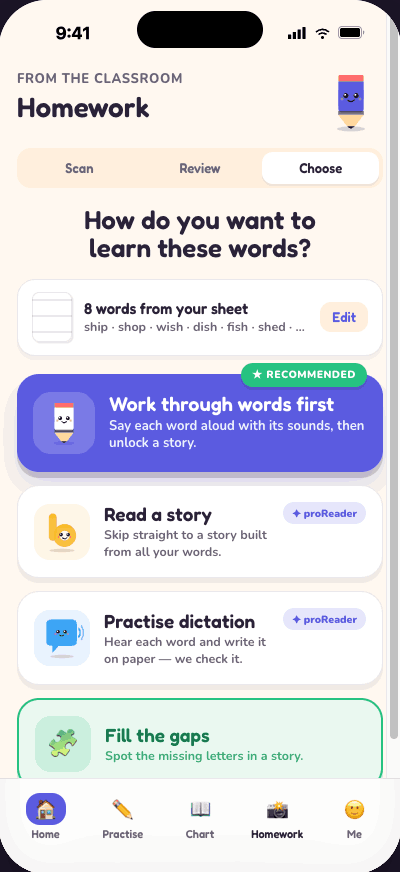
Add your homework words.
Open the Homework tab and add the words from your child's spelling list.
You can type them in one by one, or — if the list came home on paper — use
Scan to photograph the sheet and import the words automatically.
Once they're in, the app builds everything around those exact words.
💡 Tip
Use
Scan to photograph the paper list — no typing needed.
2
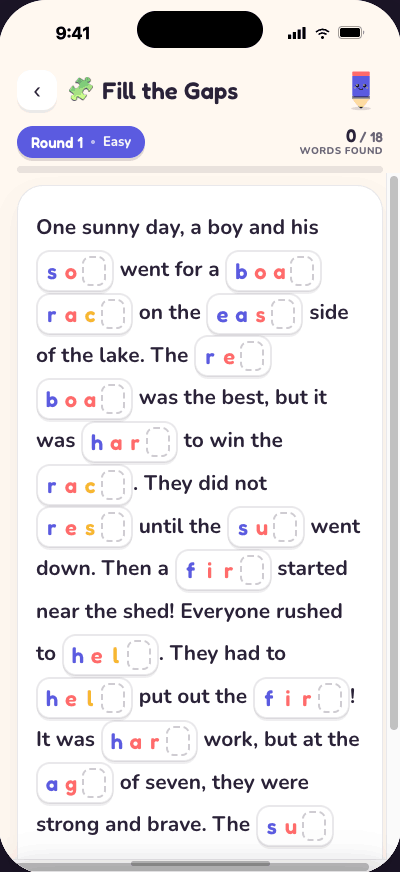
Fill the Gaps — spot the missing letters.
The app weaves your child's words into a short story.
Letters are hidden, and your child fills them in — one sound at a time.
There are five rounds that get progressively harder. Most kids work
through all five in a single sitting. It's quietly addictive.
✨ New
5 levels — kids usually finish them all in one go.
3
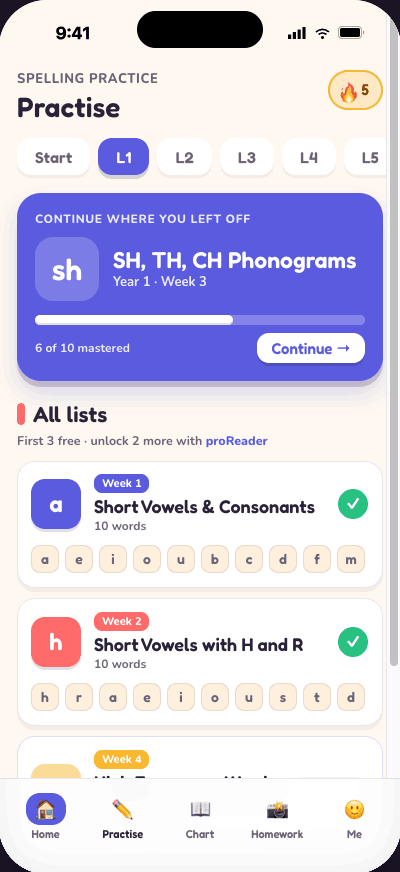
Practise the phonograms behind the words.
The Practise tab works through phonograms in Spalding order —
the building blocks that explain why English words are spelled the way they are.
Each module is short and focused. Your child hears the sounds, sees examples,
and builds mastery week by week.
4
Keep earlier words fresh with Revision.
It's easy to nail a spelling one week and forget it the next.
Revision brings back words from previous lists in a short mixed session —
keeping everything your child has learned from fading away.
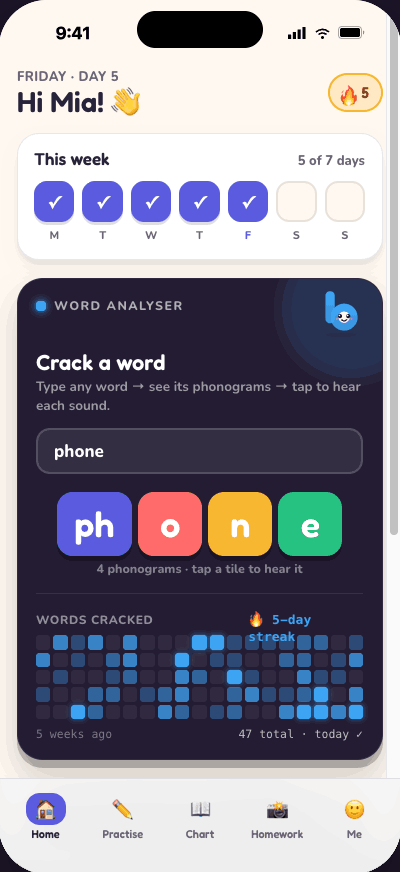
The home screen shows the streak and daily progress so there's a small,
satisfying ritual every time you open the app.
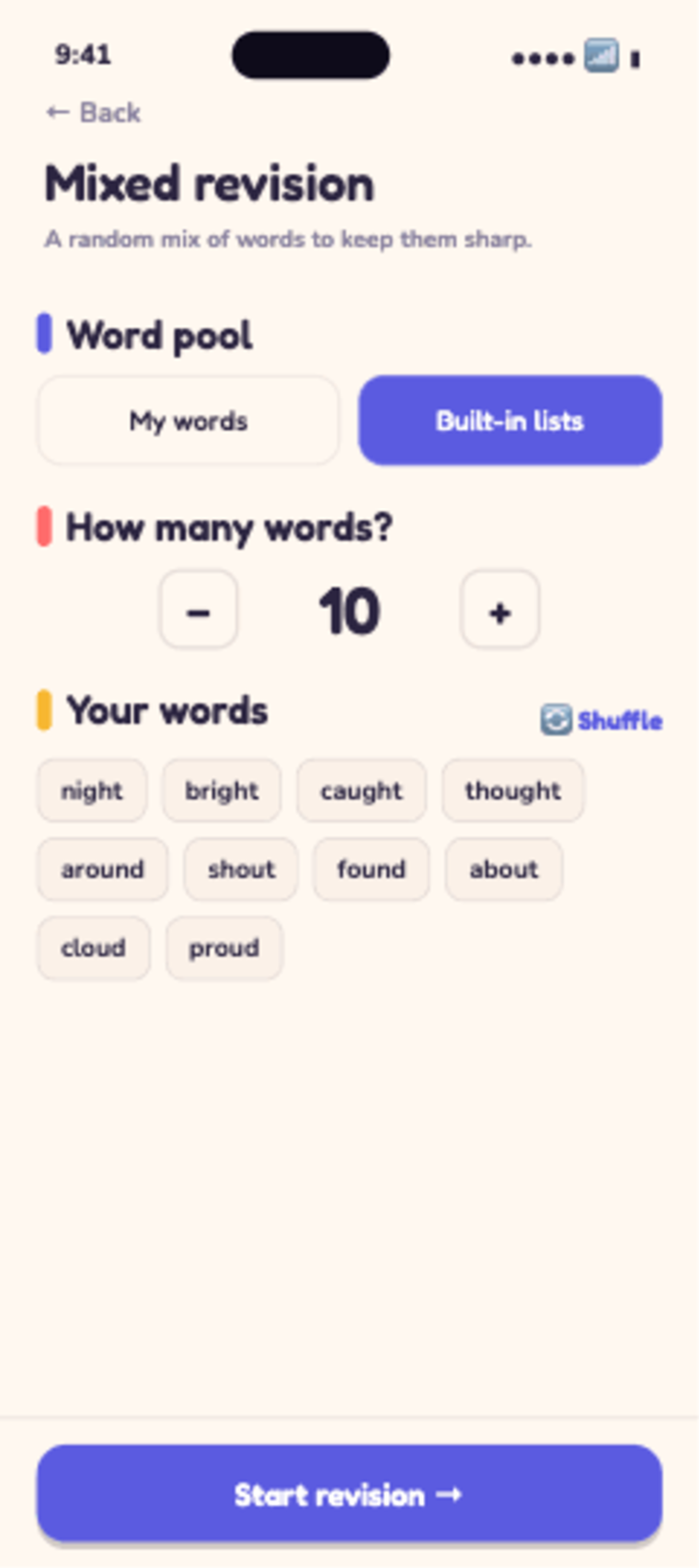
🔄 Revision
Mix in old lists to keep earlier weeks sharp.
Tips from us
Little things that make a big difference.
Things we've discovered using the app with our own kids — passed on so you don't have to figure them out yourself.
🎤
Use the keyboard mic to speak words.
When adding words to the list, tap the microphone on your keyboard and
just say the word out loud. Our daughter figured this out herself — she now
dictates whole lists without typing a letter.
🩰
Let them pick words they actually love.
Once the school list is done, kids can add any word they want.
Ours went with "ballerina," "unicorn," and a few emojis 🦄🌈. If the word
matters to them, they'll remember how to spell it.
📖
Crack a word in the Word Analyser.
On the Home screen there's a Word Analyser — type any word and it
breaks it into phonograms and plays each sound. Great for tricky words your
child asks about in the middle of reading together.
🏠
You don't have to sit with them the whole time.
Fill the Gaps and Practise are designed for independent use. Sit with
them for the first session, then step back. Most kids 6+ can work through
a day's session on their own once they know the routine.
📊
Drill down on a single sound.
The Phonogram Chart lists all 70 phonograms. If your child is stuck
on a specific sound — like "ou" — tap it to see every way it can be
pronounced, with examples, and hear each one played aloud.
🔥
The streak is surprisingly motivating.
A daily streak builds up on the Home screen. Even 5 minutes counts.
Some nights our daughter opens the app unprompted, just to
keep the streak alive — which is exactly the kind of habit we wanted to build.